AEO for Webflow: How to Structure CMS Data for Google & AI Answers


Summarize with Ai





Key Takeaways
What Is AEO for Webflow?
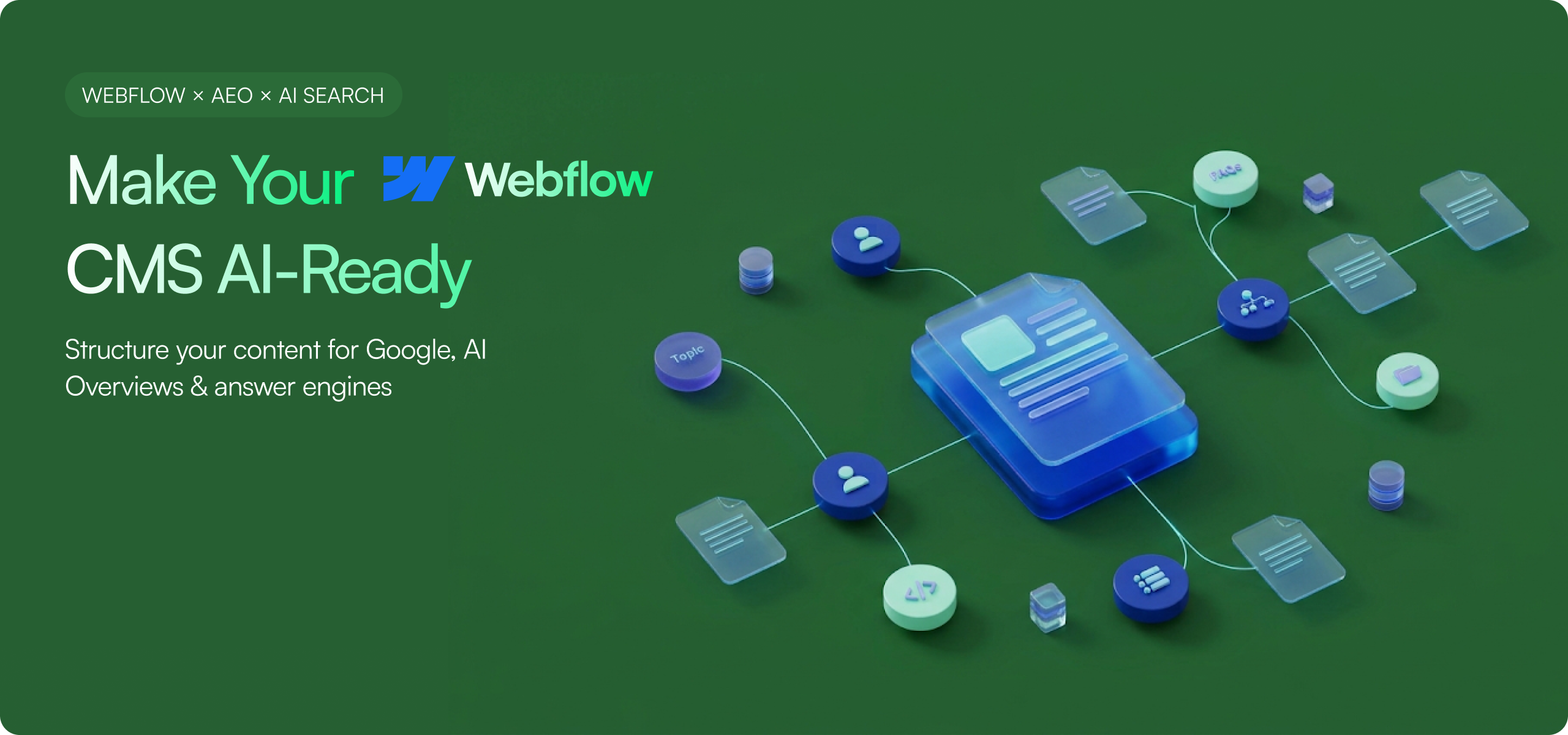
Answer Engine Optimization (AEO) for Webflow means structuring your CMS Collections, fields, and relationships so that search engines and AI systems can identify what your content is about, how it connects to everything else on your site, and which parts of it actually answer a question. Do that well, and you make it more likely to earn featured snippets, appear in AI Overviews, and get referenced by tools like ChatGPT or Perplexity, though none of that is ever guaranteed.
AEO doesn't replace SEO. It builds on the same fundamentals: useful content, crawlability, indexing, clear information architecture, internal linking, and authority. The Webflow-specific opportunity is that your CMS can do far more of this work than most sites let it.
Most "AEO for Webflow" advice stops at the page level: write a direct answer, add an FAQ block, sprinkle in some schema, call it done. That's not wrong; it's just incomplete. It treats each blog post as its own island, when the thing actually deciding whether Google or an AI system can understand your site sits one layer below the page: the CMS itself.
This guide focuses on the part most articles skip, designing the CMS so that structure, not just copy, carries the weight.
Key Takeaways
- Your Webflow CMS is more than a publishing tool; it's the foundation of your content architecture.
- Use descriptive fields (Short Answer, Primary Topic, Author Expertise, Related Questions) instead of generic ones like "Text 1."
- Connect content through Reference and Multi-reference fields wherever the relationship genuinely makes sense.
- Put direct answers near the top of important pages, then expand on them.
- Use schema markup to describe eligible content accurately, not exhaustively.
- Build internal links around topics and entities, not just for link count.
- Keep important pages crawlable, indexable, and consistent across CMS data and structured data.
- Demonstrate real expertise and original sourcing; structure alone doesn't build trust.
- Treat AEO, GEO, LLM optimization, and SEO as overlapping practices, not separate systems.
- Never assume CMS structure, schema, or an llms.txt file guarantees a snippet, AI Overview, or citation. It only improves your odds.
SEO vs. AEO vs. GEO vs. LLM SEO
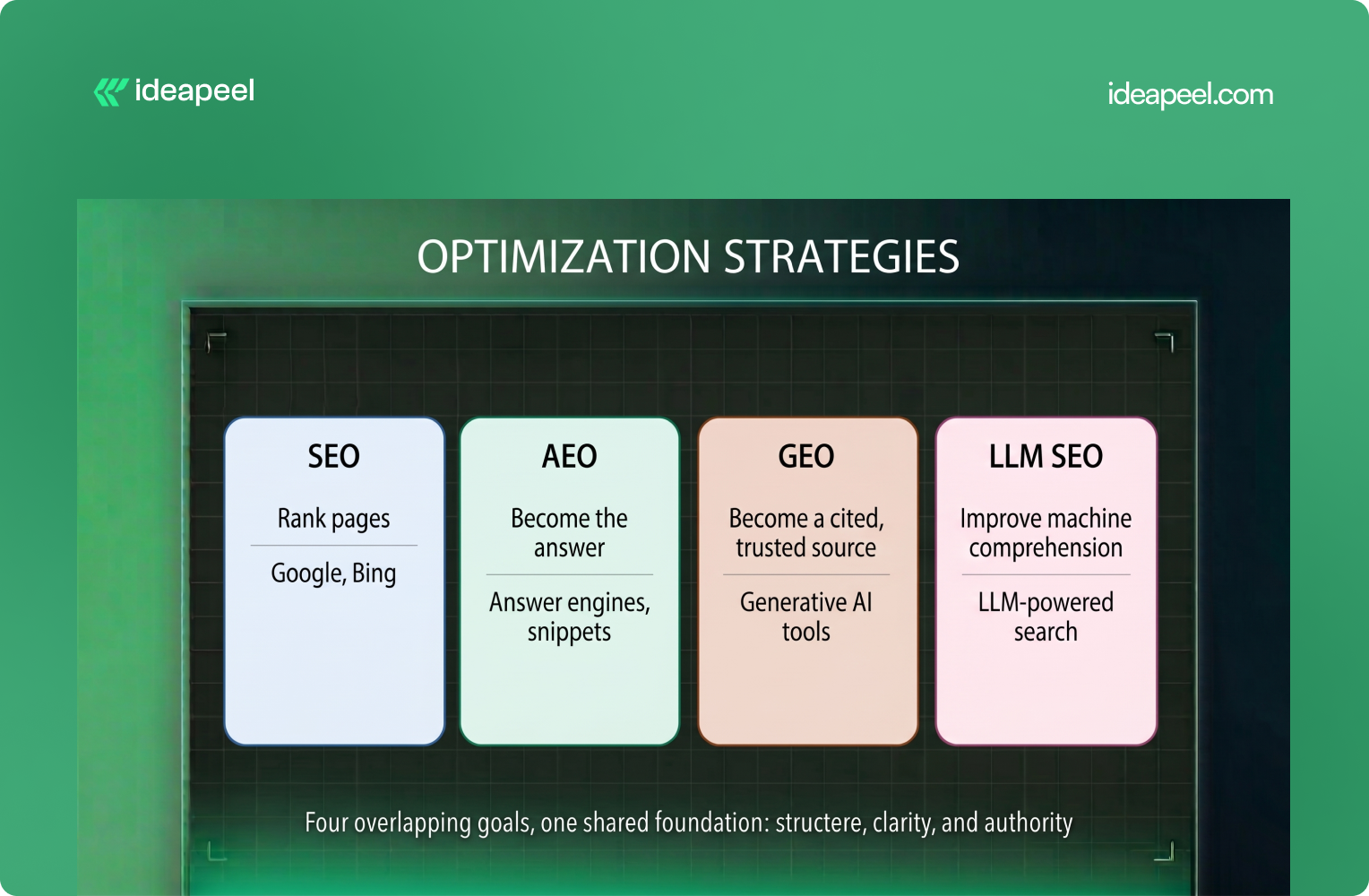
The acronyms are multiplying faster than most teams can track. Here's the short version.
These aren't four competing disciplines. They overlap heavily, and a well-structured Webflow CMS is one of the few assets that genuinely moves the needle on all four at once:
Useful content + clear structure + authority + accessibility + context
The difference is simply how that foundation gets used across different search experiences.
Why CMS Structure Matters More Than You Think
Here's the mental model worth adopting: your CMS shouldn't just store content; it should behave like a structured knowledge system, where every field has a job, and every relationship tells a search engine or AI model something about how your content fits together.
CMS fields → content structure → relationships → context → machine interpretation
Compare two blog post schemas.
Weak CMS setup:
- Title
- Body
- Image
- Author
AEO-structured setup:
- Title
- Short Answer
- Primary Topic
- Search Intent
- Key Takeaways
- Body
- Author + Author Bio
- Category / Topic
- Related Questions
- Related Articles
- Sources
- Updated Date
- SEO Title / Meta Description
- Schema Type
The second version isn't just "more SEO-friendly"; it's a different kind of object. It produces extractable answers, defined entities, and explicit relationships: the three things AI systems look for when deciding whether content is worth citing. That said, more fields don't automatically mean better interpretation; the point isn't field count, it's that your site now carries a clearer underlying information model.
How to Structure a Webflow CMS for AEO
1. Start With Clear Entities, Not Just "Blog Posts"
Think in terms of the real things your content is about: Blog, Author, Category, Topic, Product, Service, Location, Case Study, FAQ. Each deserves its own Collection with its own fields, not a tag buried inside a generic post.
For an agency site, that might look like:
- Service → Webflow Development
- Topic → Webflow SEO
- Author → SEO Specialist
- Case Study → SaaS Website Redesign
Each entity has a distinct purpose, which is far more useful than storing everything in one catch-all Collection.
2. Name Fields for What They Mean, Not What They Are
"Text 1" tells nobody anything, not your team, not a crawler, not an AI model parsing the page's underlying data. Fields like Short Answer, Primary Topic, or Author Expertise do double duty: they keep the CMS easier for humans to manage, and the field name itself acts as a semantic signal for machines.
To be clear: the field name is not itself a ranking factor. What matters is the meaningful information stored inside it; descriptive naming just makes that information easier to maintain consistently.
3. Build Relationships Between Collections
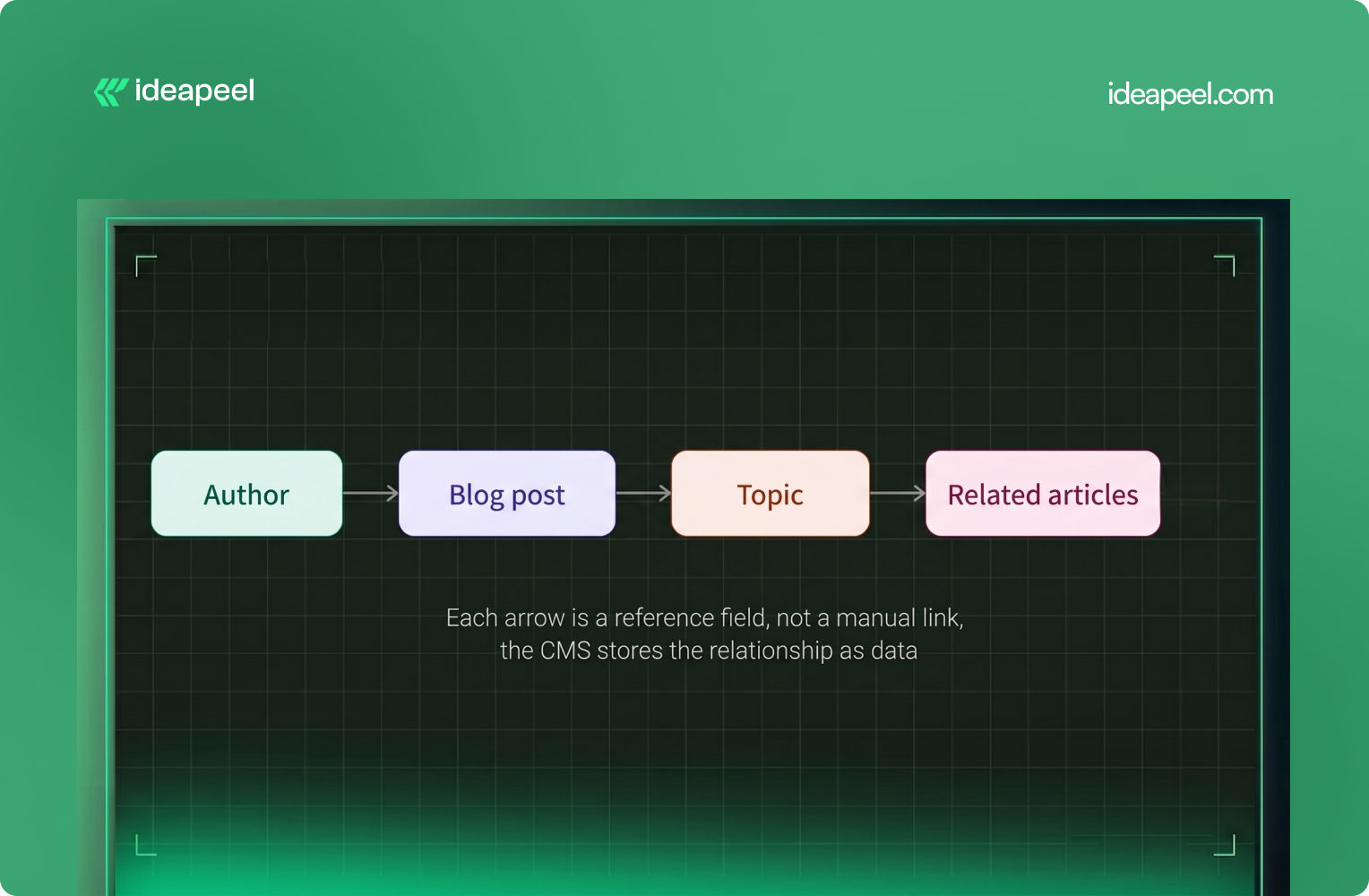
This is where most Webflow sites leave value on the table. A typical setup has fifty isolated blog posts with no formal connective tissue. A structured one looks more like this:
Author → Blog Post → Topic → Related Articles → Product / Service
That's not internal linking for its own sake; it's a content graph. Reference and multi-reference fields let Webflow express "this post belongs to this topic, was written by this author, and relates to these three other posts" as actual data, not just a manually inserted link. Those relationships can also power dynamic related-content sections automatically.
4. Add a Dedicated "Short Answer" Field
This might be the single highest-leverage change you can make. Create a field, literally called Short Answer, that holds a 40–60 word direct response to the implicit question the post is answering. For example:
What is Webflow AEO? Webflow AEO is the practice of structuring and optimizing Webflow content so search engines and AI answer engines can understand, retrieve, and potentially cite it in search results and AI-generated answers.
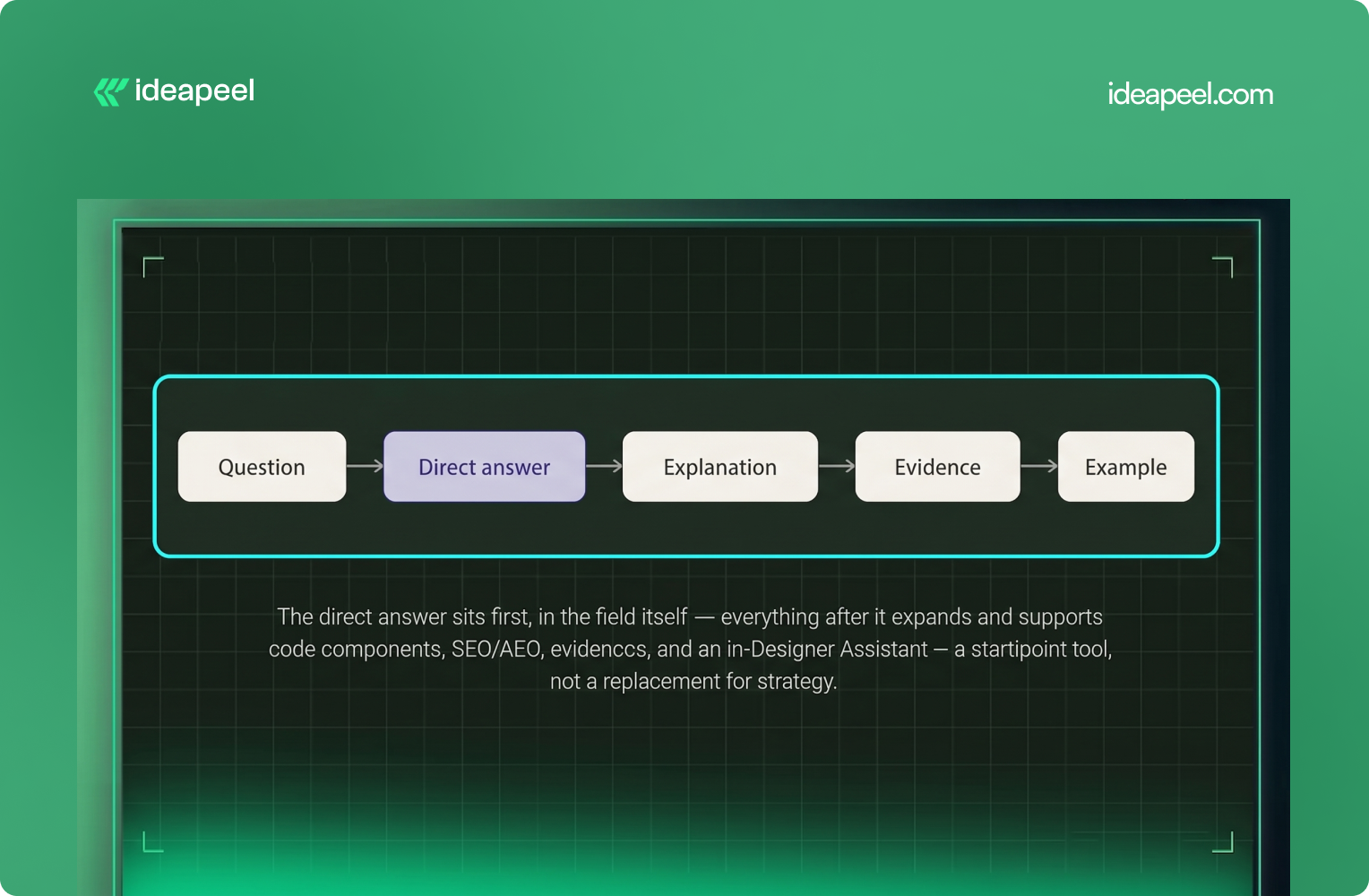
Let the rest of the article expand on it from there. Traditional blog structure buries the answer 500 words in; AEO structure puts it first and explains afterward, creating a simple, repeatable pattern:
Question → Direct answer → Explanation → Evidence → Example
5. Add Supporting Fields Where They Genuinely Help
Different content types need different fields; you don't need every field on every Collection.
Using Question-Based Headings the Right Way
Question-based headings help only when they match genuine search intent.
Compare:
- "Webflow CMS Structure" (generic)
- "How Should You Structure Webflow CMS Data for AI Search?" (specific, conversational)
The second version tells readers immediately what the section answers. But don't turn every heading into a question; content should read naturally first, and question framing should follow real search intent rather than force it.
Structuring Content for Google Featured Snippets
Structured CMS fields make it far easier to consistently produce the formats Google tends to pull into snippets: direct-answer paragraphs, numbered and bulleted lists, comparison tables, and clear definitions under question-based headings.
For example:
How do you optimize a Webflow site for AEO?
- Structure your CMS around meaningful content entities.
- Add direct-answer fields.
- Use clear, specific headings.
- Connect related content through relationships.
- Add relevant structured data.
- Confirm crawlability and indexing.
- Demonstrate expertise and supporting evidence.
That's easy for a reader to scan and gives search systems cleanly structured information to extract. But one caveat is worth stating plainly: none of this guarantees a snippet. Google decides what gets featured; CMS structure only improves your odds; it doesn't buy a placement. Any AEO advice that promises otherwise is overselling it.
Schema Markup With Webflow CMS
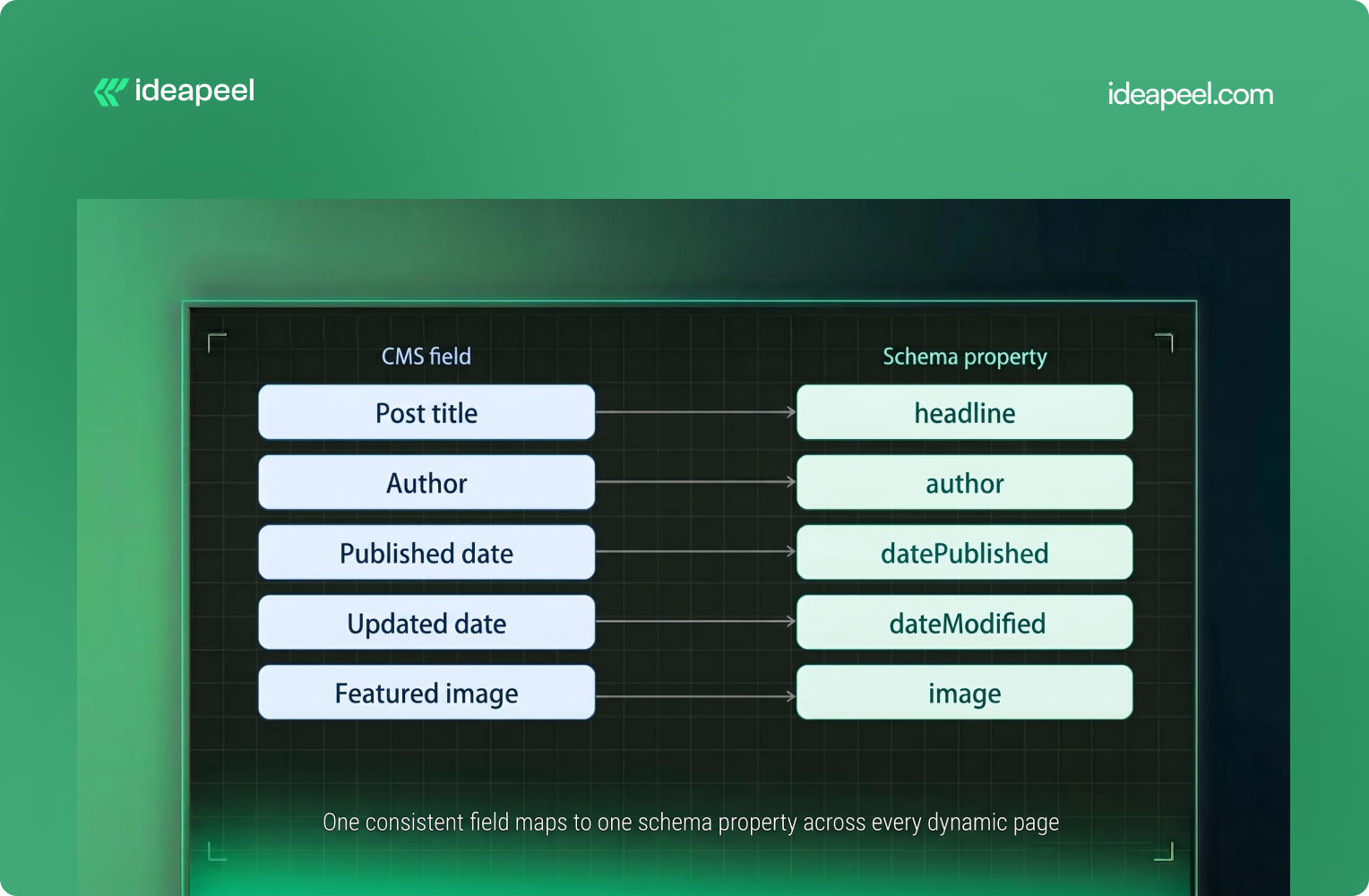
Schema is where CMS structure and machine-readability meet directly. The idea: map CMS fields to schema properties so dynamic pages generate valid structured data automatically, instead of someone hand-coding JSON-LD for every post.
The architecture flows like this:
Webflow CMS → CMS Fields → Collection Template → Dynamic Content → JSON-LD → Search Systems
This scales far better than manually building structured data for every article. One rule matters more than any other here: consistency. If your CMS shows one publish date and your structured data shows another, you've created conflicting signals; your visible content and your schema should describe the same page the same way.
Which Schema Types Should You Use?
- Article, the baseline for editorial blog content.
- Product, for genuine product pages.
- Organization / Person, for company and author information.
- BreadcrumbList, for page hierarchy and navigation.
- LocalBusiness, for eligible local business pages.
- FAQPage, only when a page genuinely contains qualifying question-and-answer content that's visible on the page, not as a blanket tactic.
Relevant schema beats maximum schema. Tagging every page with every schema type you can think of doesn't help; it just adds noise, and structured data never guarantees a rich result or an AI citation on its own.
[[inner-cta]]
Internal Linking as an AEO and GEO Signal
Internal links do more than pass authority around your site. They tell search engines and AI systems how your topics relate to each other, which pages support which claims, where the depth is, and how confidently a page can be trusted as part of a larger body of expertise.
A simple topic cluster might look like:
Webflow SEO → Webflow CMS SEO → Webflow Schema → Webflow AEO → Webflow GEO → Webflow AI Search
A fuller cluster structure:
- Pillar Page: The Complete Webflow SEO & AEO Guide
- Supporting Articles: Webflow SEO Checklist, Webflow CMS SEO, Webflow Schema Markup, Webflow AEO, Webflow GEO, Webflow AI Overviews, Webflow Technical SEO, Webflow Structured Data
Built out with CMS relationship fields rather than one-off manual links, this becomes a genuine content graph, the kind of thing that's much harder to fake with isolated posts, no matter how well each one is individually optimized. The key is relevance: link when another page genuinely helps the reader, not to inflate link counts.
Making Content Easier for LLMs to Understand
AI systems need context to interpret information correctly. A few habits help:
Use clear entity names. Instead of "It lets you build websites faster," write "Webflow allows teams to visually design, manage, and publish websites." Naming the subject explicitly removes ambiguity.
Keep terminology consistent. If you call something "Webflow CMS," don't randomly switch to "Webflow database" or "Webflow content engine" across different posts; inconsistent terms can read as different entities.
State relationships explicitly. Instead of assuming a connection is obvious, spell it out: "Webflow CMS is the content management system used to create and manage dynamic content in Webflow." Clear language helps people and machines interpret the same page the same way.
Optimizing for ChatGPT Search and Google AI Overviews
There's no reliable trick that guarantees a ChatGPT citation. A more realistic goal is making your content accessible, useful, clear, and trustworthy. OpenAI's publisher guidance notes that public websites can appear in ChatGPT Search and that site owners can allow its crawler to access content for search discovery, but allowing crawling doesn't guarantee a specific ranking, placement, or citation.
For Google AI Overviews, don't treat it as a separate game with separate rules. Strong fundamentals still carry the weight:
Technical SEO + useful content + structured information + entity clarity + topical authority + strong internal linking = better AI-search readiness
Schema doesn't get you into AI Overviews on its own; it helps machines parse structured information, while inclusion is still governed by relevance and quality signals the platform controls. For both Google and ChatGPT, the realistic framing is "increase the likelihood your content can be discovered and cited," not "get ranked."
AEO vs. GEO, One More Time
Worth separating clearly, because they call for different work:
- AEO asks: Can an AI system extract a clean, usable answer from this page?
- GEO asks: Does that AI system recognize this brand as a credible source worth citing at all?
CMS structure, short answers, clear fields, and defined relationships mostly serve AEO. Author credibility, original research, consistent brand information, and external citations mostly serve GEO. Both share a lot of the same underlying signals (clear content, entity clarity, crawlability). Still, you need both, and neither substitutes for the other.
Authority Still Matters More Than Field Names
Worth saying directly: CMS structure helps machines understand your content. It does very little for whether they trust it. That's a separate job, and it's the one most AEO checklists gloss over.
Where relevant, your content should reflect:
- Experienced authors with real bios
- Relevant, disclosed expertise
- Original research or first-party data
- Case studies and expert commentary
- Credible external references
- Transparent update history
- Mentions or backlinks from credible sites
This is E-E-A-T by another name, and no amount of clever field architecture replaces it. A simple way to frame the whole system:
CMS structure = context. Content quality = usefulness. Authority = trust. You need all three.
[[question-block]]
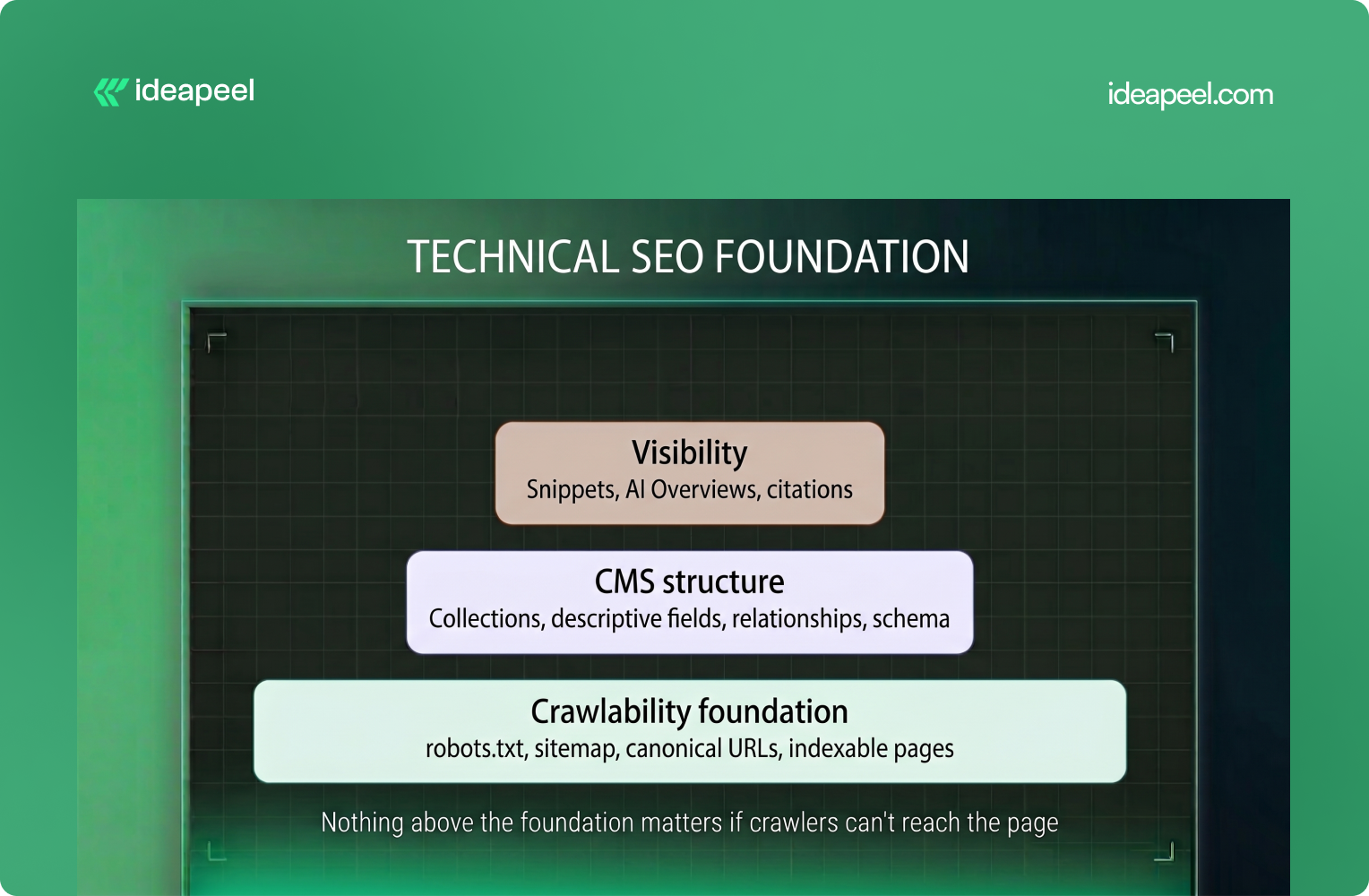
Crawlability: Robots.txt, Sitemaps, and llms.txt
None of this architecture matters if important pages aren't accessible to crawlers. Review your:
- robots.txt
- XML sitemap
- Canonical URLs and indexing directives
- Internal linking and URL structure
- Page load performance
You may also come across llms.txt, a proposed way of providing AI-oriented information about a site. It's worth having, but it shouldn't be the center of your AEO strategy; a file can't replace useful content, strong information architecture, crawlability, internal linking, or authority. Treat machine accessibility as one part of a broader technical strategy, not a shortcut around it.
A Practical Webflow AEO Checklist
CMS
- Clear, purpose-built Collections
- Descriptive field names (not "Text 1")
- Logical relationships between Collections
- Author, topic, and category fields on every content type
- Direct-answer fields for important content types
On-Page Content
- One clear H1, question-based H2s where intent supports it
- Direct answers near the top
- Short paragraphs, lists, and tables where they genuinely help
- Relevant internal links supported by real evidence
Technical SEO
- Unique titles and meta descriptions
- Canonical URLs, sitemap, robots.txt in order
- Valid, accurate JSON-LD schema
- Fast, crawlable pages
AI Readiness
- AI crawlers allowed where visibility is wanted
- Consistent terminology for key entities
- Strong topical clusters instead of isolated posts
- AI visibility monitored where reliable tooling exists
Common Mistakes Worth Avoiding
A few claims show up constantly in AEO content that don't hold up:
- "Schema guarantees a snippet or a ChatGPT citation." It improves eligibility and machine understanding, nothing more.
- "llms.txt alone will get you ranked." It's a small accessibility signal, not a ranking mechanism.
- "AEO replaces SEO." It builds on SEO fundamentals; it doesn't substitute for them.
- "Stuffing keywords into every CMS field helps." It doesn't , it just adds noise for both readers and machines.
- "A bigger CMS is a better CMS." Only create fields that represent genuinely useful information.
- "More schema is always better." Structured data should accurately describe the page, not maximize markup.
The more defensible version: AEO builds on solid SEO fundamentals while improving how clearly your content can be understood, extracted, and represented by AI systems. That's a less exciting sentence than "guaranteed AI visibility" , but it's the true one.
Measuring Whether Any of This Is Working
Track it the same way you'd track any SEO initiative, plus a few AI-specific signals.
Organic search: impressions, clicks, rankings, featured snippet appearances, organic traffic.
AI search (where reliable data is available): referral traffic from AI tools, whether your brand appears when you query ChatGPT or Perplexity directly about topics you cover, and AI visibility tooling that platforms, including Webflow itself, have started building natively.
One AI answer citing your page isn't proof of a working strategy. Look for trends over time, not single data points.
The Real Takeaway
Don't just optimize the page. Optimize the CMS behind it.
The strongest AEO-ready websites are built with clear Webflow Collections, structured fields, and connected content from the start. This makes information easier for both people and AI systems to understand.
At ideapeel, we build Webflow websites with SEO, AEO, CMS architecture, and conversion in mind, not as separate tasks.
Explore our Webflow SEO Guide, Webflow SEO Checklist, or Webflow SEO Agency Guide for B2B SaaS to go deeper.
Need a Webflow site built for search and AI? Explore ideapeel's services or contact us.
[[last-cta]]
Frequently Asked Question On AEO foe Webfow
Enter your website URL to receive a detailed website analysis report in just 5 minutes!

Does Webflow CMS structure actually help with AI search?
Yes, indirectly, well-structured Collections, fields, and relationships give search engines and AI systems clearer signals about what your content means and how it connects, which supports better extraction and citation.